
If you are looking for infrastructure for a new website, application or game server, you will soon run into two abbreviations: VPS and VDS. Some companies sell them as two separate products, while others use them to mean the same thing. The price gap is often significant too. So what is the real difference, and which one do you actually need?
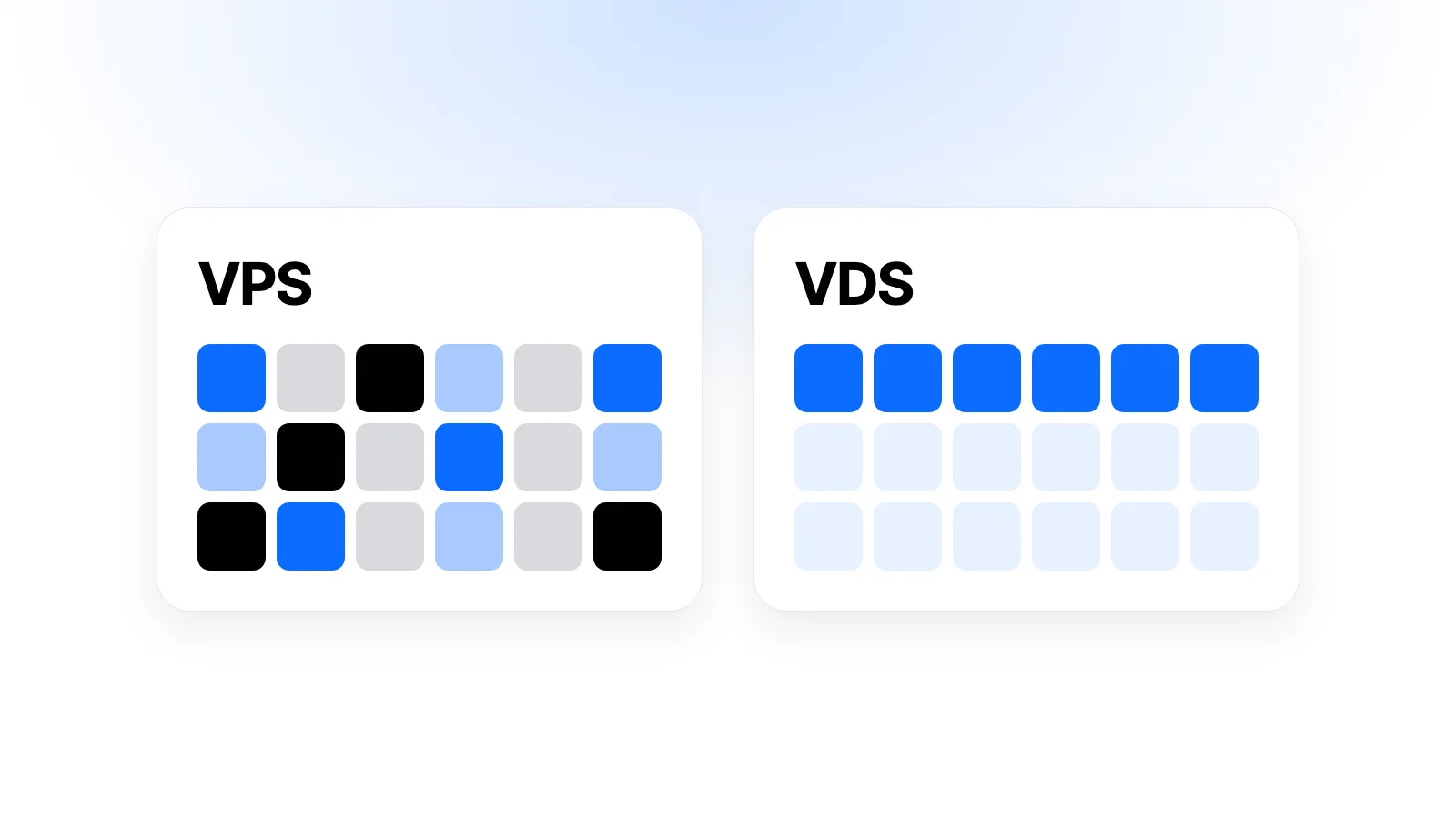
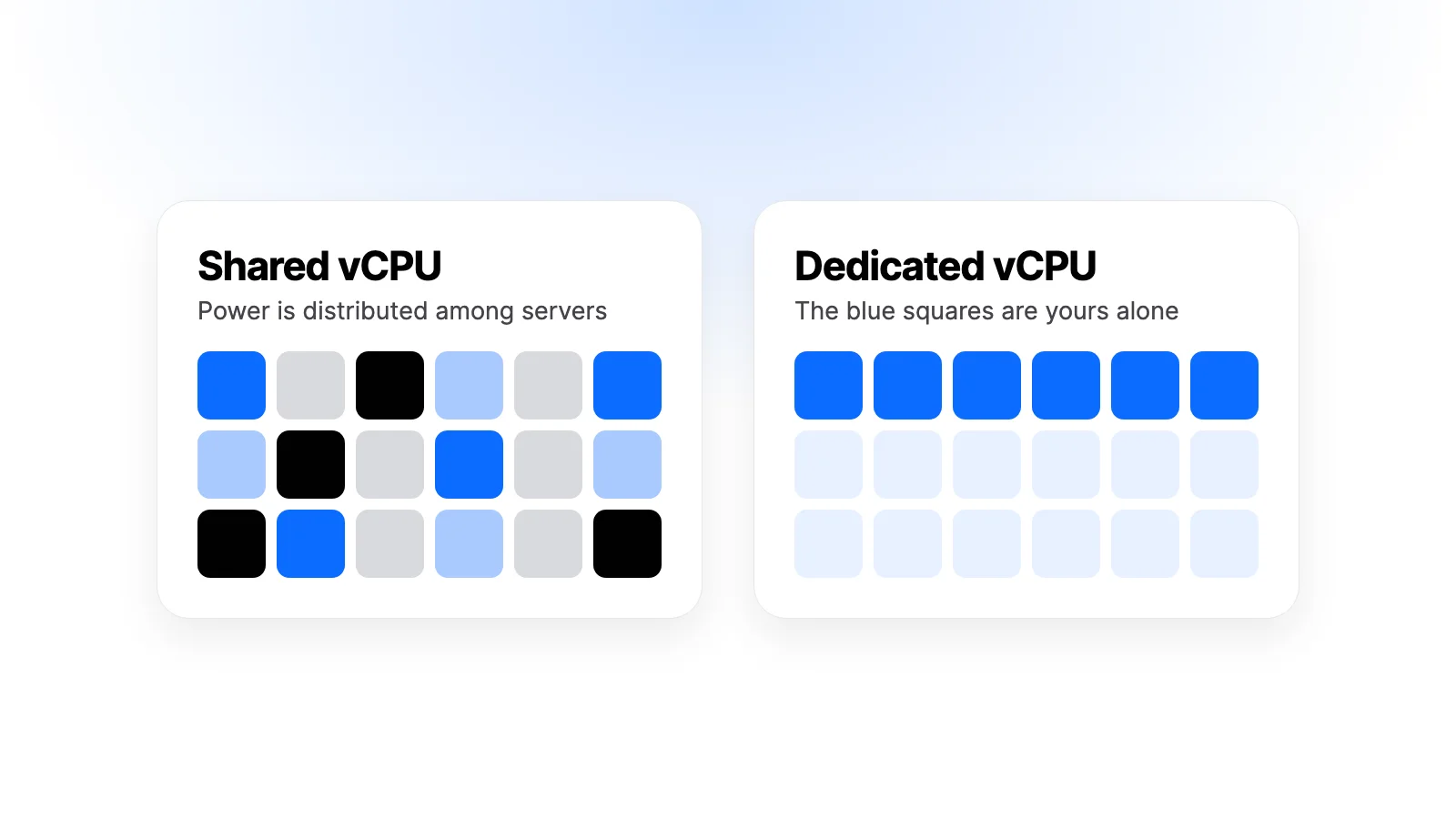
The short answer is this: the difference between VDS and VPS comes down mostly to how processor resources are allocated. On a VPS, processor power is shared among the servers on the same physical machine. On products labelled VDS, a specific amount of processor capacity is set aside for you. This article explains the difference in technical terms, then shows how to choose based on your workload and what to check before you buy.
What Is a VPS?
VPS stands for Virtual Private Server. A single powerful physical server is divided into several independent virtual servers using virtualization software. This software is called a hypervisor, and KVM is one of the most common examples in cloud infrastructure.
From the outside, each virtual server behaves like a separate machine:
- It has its own operating system.
- You have administrator (root) access.
- It has its own IP address, disk space and memory.
- You can install any software, restart it or reinstall the system from scratch.
This is also what sets a VPS apart from shared hosting. On shared hosting you use the same operating system alongside other customers. On a VPS you cannot see another customer's files, and their configuration cannot directly change your system.
On a standard VPS, the main shared resource is the processor. The provider distributes physical processor power among multiple virtual servers. This model is efficient, because most servers do not use their processor at full capacity for most of the day. Idle power goes to whichever server needs it at that moment. This is the main reason prices stay affordable.
What Is a VDS?
VDS stands for Virtual Dedicated Server. This too is a virtual server running on a physical machine. On the management side it is no different from a VPS: you still get your own operating system, root access and IP address.
The difference lies in processor allocation. On products sold as VDS, virtual processors (vCPUs) are reserved for you, and the workload of neighboring servers affects your performance far less than on a shared plan. As a result, processor power becomes more predictable.
Let us clear up two common misunderstandings:
- A VDS is not a physical server. Despite the word "dedicated" in its name, you do not rent the machine on your own. The hardware, network and hypervisor are shared with other virtual servers. The physical server as a whole does not belong to you.
- A vCPU is not always a full physical core. With many providers, one vCPU corresponds to one hardware thread (hyper-thread). You can find this in the plan details or the provider's documentation. Do not read "4 vCPU" as "4 full cores".
Is the Difference Between VDS and VPS a Standard Definition?
No, and this is the most useful thing to know when buying. There is no official definition of VPS and VDS that the whole industry follows. The product one company calls a VDS may be called a VPS by another. Some companies label every KVM-based server a VDS, while others use the word only for plans with dedicated processors.
This confusion is particularly visible in some local markets. Two products with the same technical structure can be sold at different prices simply because they have different names. So do not look at the product name. Look at this question instead: is the processor on this plan shared or dedicated?
Some large infrastructure providers do not use the word VDS at all. They divide their plans into "shared resources" and "dedicated resources". On shared plans the hypervisor distributes processor usage among several virtual servers, while on dedicated plans each server has its own processor resources. In practice, what many people are looking for when they search for a VDS is this second group.
VDS and VPS Comparison Table
The table below summarizes common usage. As we said, the exact distinction varies by provider, so check the plan details anyway.
| Feature | VPS (shared vCPU) | VDS (dedicated vCPU) |
|---|---|---|
| Processor | Physical power is distributed among several servers | Specific capacity is reserved for your server |
| Performance consistency | Can be affected by busy neighbors | More predictable |
| Sustained high processor usage | Not suitable | Designed for this |
| Isolation and root access | Yes | Yes |
| Price | Usually lower | Usually higher |
| Best suited to | Websites, small applications, test environments | Game servers, build jobs, intensive data processing |
Where Do You Notice the Performance Difference?
On a small corporate website, you will most likely never notice the difference. It shows up when the processor works hard for long periods or when latency is critical.
Sustained load: Jobs such as video conversion, software builds or large-scale data processing can keep the processor full for hours. Shared plans are not designed for this kind of continuous use. A dedicated plan is the better choice for these jobs.
Latency-sensitive work: On game servers and real-time systems, consistency matters more than average speed. Even a brief stutter reaches the user. Having little neighbor impact brings a direct benefit here.
Busy databases: Database performance is often determined by memory and disk. If the processor is a constant bottleneck, a dedicated plan helps. If the bottleneck is elsewhere, changing the processor type will not solve the problem.
Keep in mind that a slow site is not always caused by the processor. Insufficient memory, unoptimized queries, missing caching or a server located far from your users can all produce the same symptom. Measure the problem before moving to a more expensive plan.
How to Measure Neighbor Impact
On shared processors, you will often hear the term "steal time". If your virtual server wants to do work but the hypervisor has given the processor to another server at that moment, the waiting time appears as steal. On Linux you can see it with these commands:
top
vmstat 1 5
Look at the st value in the CPU line of top, and the st column in vmstat. If the value stays noticeably high for long periods and your application slows down, you are waiting for your share of the processor. There is no universal threshold; what matters is whether a pattern repeats during busy hours.
You can find out how many vCPUs your server sees with the nproc command. If you run a load test, repeat it during both busy and quiet hours. A single measurement can mislead you.
Why Does the Type of Virtualization Matter?
The virtualization technology matters as much as the processor allocation, because it determines what you can do on the server. There are two basic approaches.
Full virtualization: With hypervisors such as KVM, each virtual server runs its own Linux kernel. Different operating systems, including Windows, can be installed, and kernel settings and tools such as Docker generally work without trouble. Isolation is strong as well.
Container-based virtualization: With solutions such as OpenVZ or LXC, servers share the host machine's kernel. This is lighter and can therefore be offered at a lower price. However, there may be restrictions on things like loading kernel modules or running a different operating system.
This distinction is independent of the VDS and VPS naming. So look for the virtualization type in the plan description as well. If you will use Docker, custom VPN software or applications that need kernel settings, this information directly affects your decision.
Three Example Scenarios
Rather than abstract comparisons, let us consider a few typical situations. The advice here is general guidance; your own measurements determine the exact need.
Corporate website or personal blog: Most traffic is served from cache, and the processor is idle most of the time. A shared plan is easily enough. It usually makes more sense to spend the price difference on something more useful, such as backups.
Growing online store: Cart, checkout and account pages cannot be cached, so every request uses processor time. A shared plan may be enough on normal days. If you see slowdowns or a high st value during campaigns, consider moving to a dedicated plan.
A software team's build server: Every build uses the processor at full capacity for minutes. This is exactly the kind of work dedicated processors are designed for. Build times become more consistent, and neighboring servers are not affected either.
Calculating the Cost Correctly
Looking only at the monthly package price can be misleading. When comparing, think about the total cost: backup fees, extra disks, control panel licenses and any traffic overage all belong in that total.
There is also the cost of your time. On an unmanaged server, setup, updates and troubleshooting are your responsibility. If you do not have the knowledge or time for these, a cheap plan may not be as cheap as you expect. Also ask about the renewal price, since the first-term price and later prices may differ.
Which One Should You Choose?
A VPS (Shared vCPU) Is Enough When
- You run a corporate site, blog or medium-sized WordPress site
- You need a development, test or demo environment
- You host a small API, bot or automation service
- You will set up lightweight services such as VPN, DNS or monitoring
- Your processor usage fluctuates during the day but is not constantly high
- Budget is your priority and you can tolerate small momentary performance fluctuations
A VDS (Dedicated vCPU) Is the Better Choice When
- Your processor stays at high usage for long periods
- You run a game server or a latency-sensitive application
- You do CI/CD, builds, video processing or scientific computing
- You want consistent performance on a busy online store during campaigns
- You promise your customers a certain level of performance
If you are undecided, starting small is usually the most sensible path. For most projects, starting on a shared plan, looking at real usage data and scaling up if needed is better than paying for excess capacity from day one.
Pre-Purchase Checklist
Whether the product is called VPS or VDS, find out the answers to these questions:
- Is the processor shared or dedicated? The plan description should state this clearly.
- What does a vCPU correspond to? A full core or a hardware thread?
- Are the processor model and generation known? The same vCPU count performs differently on different hardware.
- What type of disk is used? NVMe SSD makes a big difference for databases and file operations.
- What is the traffic limit? Are overages charged, or is speed reduced?
- Where is the server? Distance from your users directly affects latency.
- Are backups included? If not, how much do they cost and what do they cover?
- Can it be upgraded later? What are the upgrade process and disk rules?
- Who manages it? On an unmanaged server, the operating system and security updates are your responsibility.
- What language and scope does support cover? Know in advance whom to reach, and how, when something goes wrong.
- How do pricing and renewal work? Is the renewal amount the same as the first price, and is there automatic charging?
Common Mistakes
Deciding by name alone. Do not assume a processor is dedicated just because the label says "VDS". Ask for the technical details.
Treating vCPU count as the only measure. 4 vCPUs on an old processor are not always better than 2 vCPUs on a new-generation one.
Mistaking a dedicated processor for a backup. A more powerful plan does not protect your data. Backups are a separate topic and must be planned.
Postponing security. With both types, a server is exposed to the internet as soon as it starts. Use SSH keys instead of passwords, set up a firewall and apply updates regularly. See our connection guide for the connection steps.
Buying a large plan without measuring your needs. Instead of paying for capacity you do not use, monitor your current usage first.
Frequently Asked Questions About VDS and VPS
Which Is Better, VDS or VPS?
There is no single right answer. If you use the processor heavily all the time, a dedicated plan is better. For most websites and small applications, a shared VPS is sufficient and more economical.
Is a VDS the Same As a Dedicated Server?
No. With a dedicated server, the entire physical machine is yours. A VDS is a virtual server running on a physical machine; it shares the hardware with other virtual servers.
Which Is Suitable for WordPress?
For a standard WordPress site, a shared VPS is often enough. High-traffic sites with many pages that cannot be cached, such as large online stores, may benefit from a dedicated processor. Do your cache and database optimization first.
Is a VDS Required for a Game Server?
It is not required, but it is usually recommended. A shared plan can work for small groups of players. As the number of players grows, consistent processor performance becomes more important.
Can I Move From a Shared Plan to a Dedicated Plan?
This depends on the provider and the plan. Even if the move is possible, there may be restrictions such as disk size. Find out the upgrade conditions before you buy, and always take a backup before the operation.
How Can I Tell What Type of Processor My Server Has?
The most reliable way is to read the description of the plan you bought. Inside the server, the lscpu command shows the processor model and vCPU count, but it does not tell you whether the plan is shared or dedicated. If you are not sure, ask your provider.
Is a More Expensive Plan Always Faster?
No. The price depends on many factors, such as memory, disk, traffic and location. If your application's bottleneck is memory, a more expensive plan with the same memory gains you very little. So measure what is falling short first, then choose the plan that increases that resource.
What Should I Prepare Before Moving to a Virtual Server?
Back up your current data, write down the software versions you depend on and test the new server before changing your DNS records. Moving during a quiet period also limits the impact of any problem. If you are new to server management, start with a test server and practice on it first.
Conclusion
Read the difference between VDS and VPS from the plan's specifications, not its name. The deciding question is whether the processor is shared or dedicated. For websites, test environments and lightweight services, a shared plan is usually the right start. For sustained heavy processor use and latency-sensitive work, go for a dedicated processor.
At Karakaş Digital you can browse cloud servers with a clear control panel and prices in Turkish lira. Each package clearly states its processor type as shared or dedicated vCPU, so the product name causes no confusion. See our cloud servers page for the packages, or our frequently asked questions and contact page if you have questions.


